
Business IT
Computers, email and Wi-Fi.
Working properly.
We set up and improve the everyday tools your business relies on, then show you how to use them.
Remote work. Gippsland visits by arrangement.


What we help with
Make the everyday jobs easier.
Email in your business name
Set up or move email and give the right people access.
Computers ready for work
Set up Windows computers, tools and suitable automatic updates.
Wi-Fi where you work
Improve coverage and agree the right setup for your premises.
Staff access that makes sense
Know who has access and what changes when someone joins or leaves.
Your business keeps control of its accounts and access. Planned setup and improvement projects. Day-to-day management stays with your business; urgent help depends on availability.
When to ask about Business IT
- Important access lives with former staff or an outside supplier.
- Email, files or team tools need to move without unnecessary disruption.
- Windows devices, business accounts or workplace Wi-Fi need a consistent setup.
- No one has a clear record of the systems the business depends on.
Starting a business? The starter package combines a small website, business email and essential account setup.
Pricing
A clear scope. A written quote.
We confirm availability before booking the work.
- Project work
- The agreed setup, improvements and handover.
- Equipment and subscriptions
- Any new devices, licences or services are listed separately.
- Visits and later help
- Travel and optional check-ins are agreed before work begins.
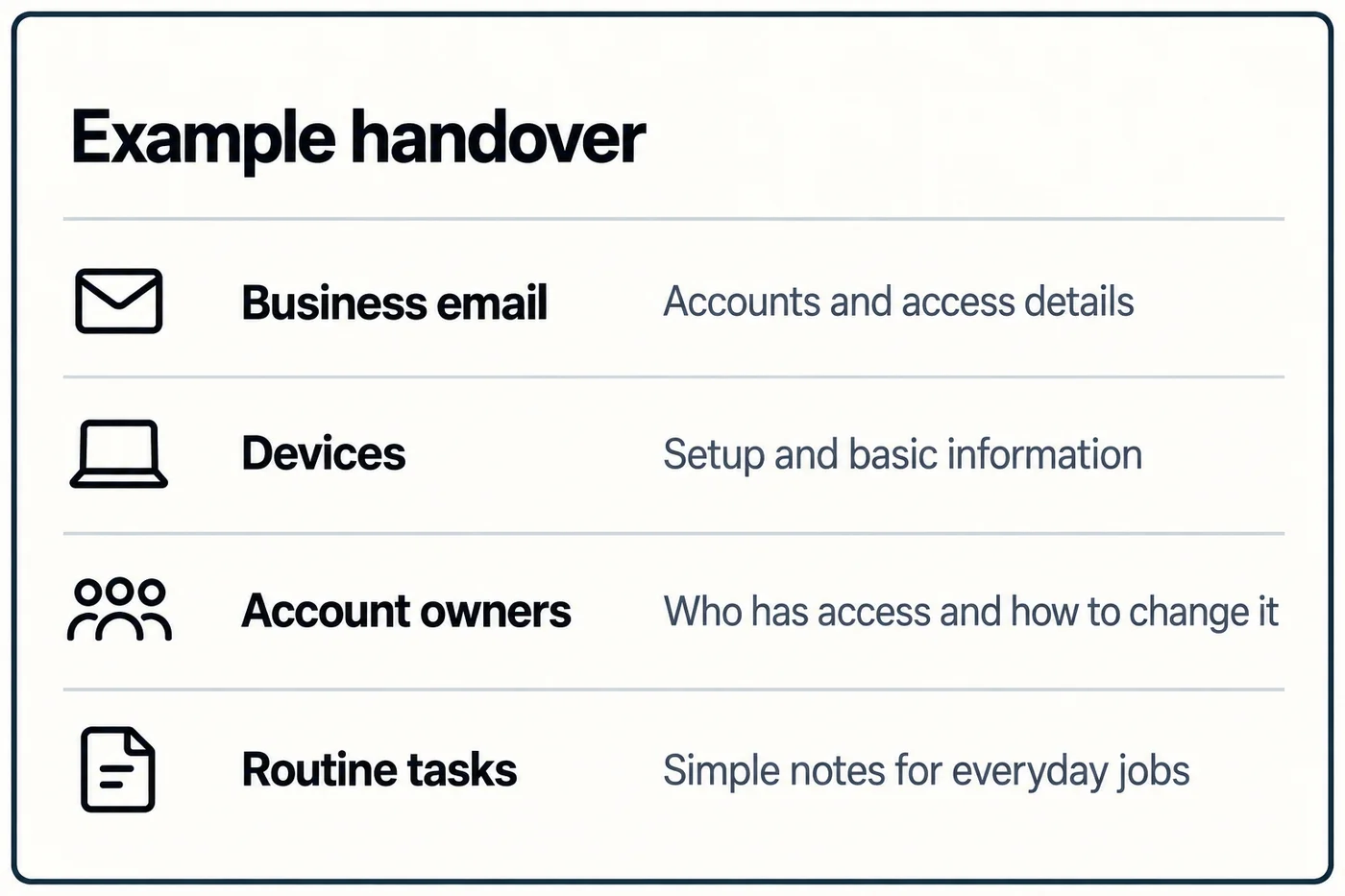
Illustrative scope
What a project could involve.
A growing small team has inconsistent staff accounts and device setup. Administrative access is split between current staff, former staff and an outside supplier.
This example explains the process. It is not a client result or a fixed package.
- The work
- Map the accounts, devices and owners involved, agree on a standard setup, fix the priority access gaps and document the process for future staff changes.
- What you provide
- A list of staff and devices, available administrative access, supplier details and a decision-maker who can confirm who should own each system.
- Before work begins
- An initial review identifies the systems involved and any changeover constraints. You receive a written scope, quote and schedule before any account or device changes begin.
- Handover
- You receive the agreed account and device setup, an ownership record and clear steps the business can follow when staff or equipment changes.
- Later help
- Optional check-ins can review devices, access, updates and recovery, roughly every six months.
Relevant experience
Practical systems experience
Servo ICT brings Microsoft Fundamentals training, Azure consulting experience and cybersecurity experience to small business projects. The focus here is Windows devices, local networks and systems a small business can manage.
Servo ICT is owned and operated by Rowan Paterson in Gippsland.
About Servo ICTHow it works
You explain the problem.
We work through the setup.
- 1
Tell us what gets in the way
Explain what is not working and what you need.
- 2
Agree the work and timing
We suggest a plan, confirm availability and send a quote.
- 3
Get set up and shown how
We set things up and walk you through the essentials.
Windows is our core desktop platform. We use UniFi for suitable workplace networks. Other setups can be discussed.
Common questions
Useful details before you enquire.
What will the work cost, and when can it start?
Projects are quoted after confirming the systems, access and work involved. Your written proposal sets the fee, schedule, any travel costs and handover. If the work is urgent, explain the impact so availability can be confirmed. There is no guaranteed emergency response.
Can you work with our current tools?
List the tools and services involved, the devices and users affected, what is going wrong and any deadline or changeover constraint. For workplace Wi-Fi, Servo ICT works with UniFi equipment where it suits the premises. You do not need to identify the equipment before enquiring. Do not send passwords, recovery codes or other credentials in the initial enquiry.
Do you provide ongoing managed IT?
The main service is project setup and improvement of systems your business manages. Automatic updates can be configured where suitable, with an optional check-in roughly every six months. The review covers changes to devices, access, updates and recovery arrangements. Day-to-day management stays with your business.
Can you visit our workplace?
Work is remote by default. Visits to businesses in Gippsland can be arranged when the job needs hands-on work.
Get in touch
What is getting in the way?
Explain what people are trying to do and where it stops working. You do not need to diagnose the cause before getting in touch.
Planned project work. Urgent help depends on availability.
(03) 4148 8665